
Apple’s MacBook lineup has gotten so good that the hardest part is no longer deciding whether to buy a MacBook. The harder question is figuring out which MacBook makes the most sense. With the M5 MacBook Air, the M5 MacBook Pro, and the M5 Pro MacBook Pro all offering excellent performance, the decision really comes down to how hard you push your computer, how long you plan to keep it, and whether the extra features of the Pro models are worth the higher price.
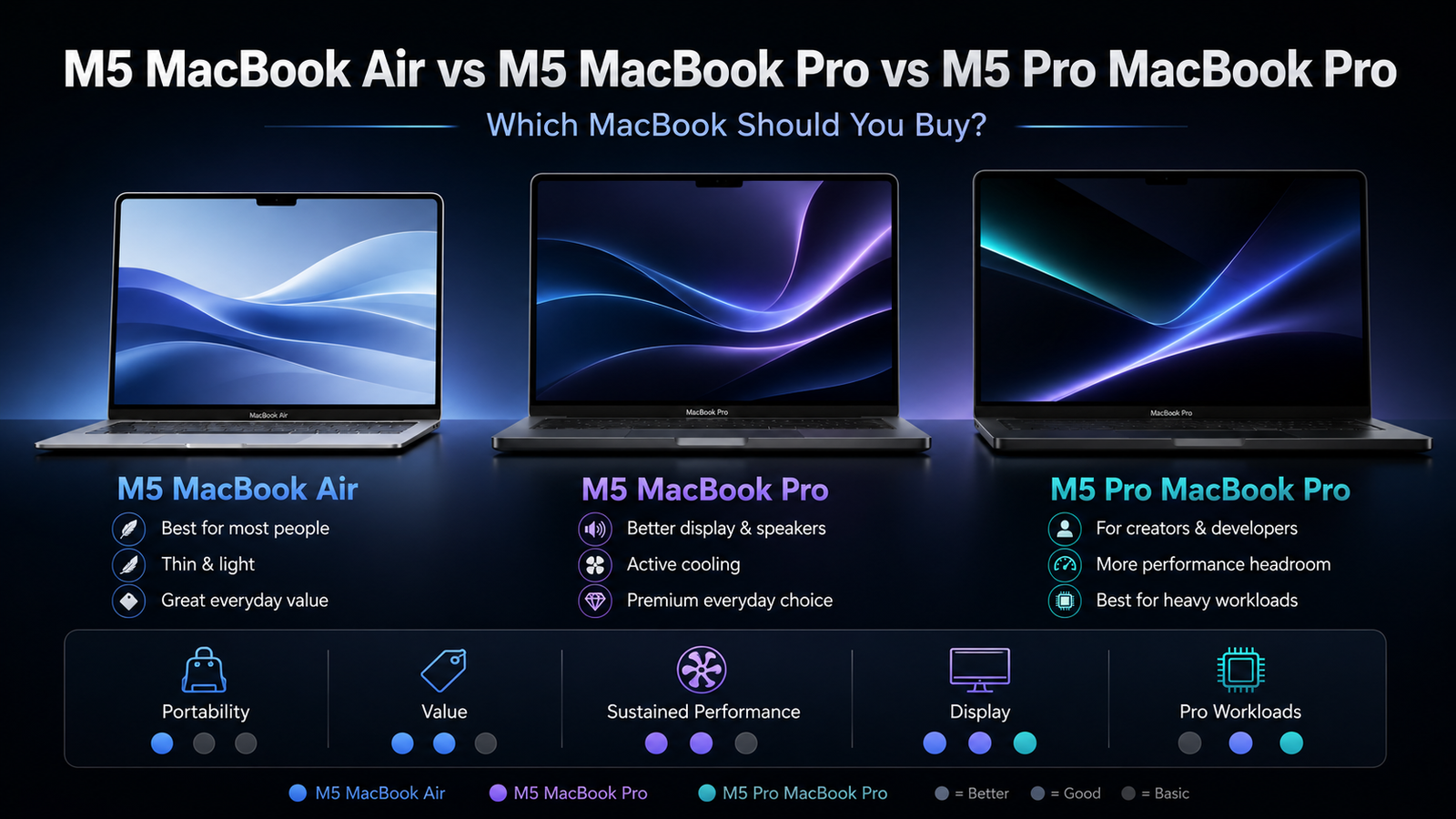
For most people, the M5 MacBook Air is probably the best starting point. Apple’s M5 chip gives the Air a 10-core CPU, up to a 10-core GPU, hardware-accelerated ray tracing, Neural Accelerators, a 16-core Neural Engine, and 153GB/s of memory bandwidth. That is a lot of power for a thin, fanless laptop. The M5 MacBook Air also now starts with 512GB of storage, and Apple says the new SSD is up to 2x faster than the previous generation, which makes the Air feel more premium than older base models did.
The MacBook Air is the easy recommendation for students, writers, office workers, casual creators, business users, and people who mostly live in Safari, Mail, Word, Excel, YouTube, Zoom, Canva, Lightroom, and light video editing. It is thin, silent, portable, and powerful enough that many people will never come close to using all of its performance. If your MacBook is mainly for everyday computing with occasional creative work, the M5 MacBook Air is the model that gives you the most Mac for the money.
The reason to step up to the M5 MacBook Pro is not because the Air is slow. It is because the MacBook Pro gives you a better overall machine. You are buying the better display, better speakers, active cooling, more ports, and generally better sustained performance. The M5 MacBook Pro is for someone who still wants the regular M5 chip but wants the more premium MacBook experience. That matters if you spend hours every day in front of your screen, edit videos more often, work with large photo libraries, use multiple external displays, or simply want a laptop that feels more like a long-term professional machine.
The biggest difference between the MacBook Air and MacBook Pro is not always obvious in short benchmarks. It shows up over time. The MacBook Air is fanless, which is great for silence and portability, but the MacBook Pro has active cooling. That means when you run longer workloads, such as exporting a long video, compiling code, rendering effects, or processing hundreds of photos, the MacBook Pro is better designed to keep performance higher for longer. The Air can absolutely do serious work, but the Pro is built to do that work more comfortably and repeatedly.
Then there is the M5 Pro MacBook Pro, which is a different class of machine. Apple’s M5 Pro chip in the 14-inch MacBook Pro offers up to an 18-core CPU, up to a 20-core GPU, a 16-core Neural Engine, hardware-accelerated ray tracing, and 307GB/s of memory bandwidth. The 16-inch M5 Pro MacBook Pro uses the 18-core CPU and 20-core GPU configuration. That 307GB/s memory bandwidth is double the M5 MacBook Air’s 153GB/s, which matters for heavier graphics, video, development, and pro app workloads.
The M5 Pro MacBook Pro is the model for people who already know they push their computers. If you edit a lot of 4K video, work with multicam timelines, run virtual machines, develop apps, use Xcode heavily, work in Logic Pro with large sessions, use Blender, do AI-related workloads locally, or keep your laptop for five to seven years, the M5 Pro starts to make much more sense. It is not just about speed today. It is about having more headroom tomorrow.
One mistake people make is buying only for what they do right now. That can work if you upgrade often, but if you keep your MacBook for many years, you should think about where your workload is going. Today you may only edit occasional 4K video. In two years, maybe you are editing more, using AI tools locally, working with bigger files, or connecting to more displays. The MacBook Air may still handle that, but the M5 Pro MacBook Pro will give you more breathing room.
The M5 MacBook Pro sits in the middle, and it may be the trickiest one to decide on. It makes sense if you want the Pro body, the better display, the active cooling, and the extra premium features, but you do not need the extra CPU, GPU, and memory bandwidth of M5 Pro. In other words, the M5 MacBook Pro is less about maximum performance and more about getting the nicer laptop experience. For some people, that alone is worth it.
The M5 MacBook Air is the value pick. The M5 MacBook Pro is the premium everyday MacBook. The M5 Pro MacBook Pro is the serious work machine. That is probably the simplest way to think about the lineup.
If you are mostly doing web browsing, writing, spreadsheets, email, streaming, schoolwork, light photo editing, and occasional video editing, buy the M5 MacBook Air. Spend your money on more memory or storage before jumping to a Pro model. A well-configured MacBook Air can be a better purchase than a base MacBook Pro for many normal users.
If you care deeply about screen quality, speakers, ports, and sustained performance, but your actual workload is not extremely heavy, consider the M5 MacBook Pro. This is the laptop for someone who wants a more premium device every day, not necessarily someone who needs a much faster chip. It is also a nice choice for people who work from their laptop all day and want the better display and overall build experience.
If your laptop helps you make money, or if waiting on exports, renders, builds, and processing time costs you time every week, the M5 Pro MacBook Pro is the smarter buy. It costs more, but it gives you more CPU power, more GPU power, and much higher memory bandwidth. For creators, developers, engineers, and power users, that extra performance can be worth it over the life of the machine.
The other thing to consider is portability. The MacBook Air is still the easiest MacBook to carry around. If you travel often, use your laptop in coffee shops, take it to meetings, or simply want something light and simple, the Air has a major advantage. A powerful computer is great, but a computer you actually enjoy carrying every day may be even more important.
Battery life also matters, but all three machines should be strong in that area because Apple silicon is so efficient. The difference is more about how you use them. The Air is fantastic for light everyday work. The Pro models are better when you are doing heavier work for longer periods. If you spend most of your time unplugged doing normal tasks, the Air is hard to beat.
The best buying advice is to start with your workload, not the chip name. Do not buy the M5 Pro just because it sounds more future-proof. Buy it because your work can actually use it. At the same time, do not dismiss the MacBook Pro models just because the Air is powerful. The Pro machines offer a better experience in ways that go beyond raw benchmark scores.
For most buyers, the M5 MacBook Air is the right answer. For people who want a premium laptop experience but do not need pro-level chip performance, the M5 MacBook Pro is the comfortable middle ground. For people doing serious creative, technical, or professional workloads, the M5 Pro MacBook Pro is the one to buy and keep for the long run.
In the end, the M5 MacBook Air is the MacBook most people should buy. The M5 MacBook Pro is the MacBook people may want if they care about the better display, speakers, cooling, and ports. The M5 Pro MacBook Pro is the MacBook people should buy when their work justifies the extra power. The good news is that there is no bad choice here. The real question is whether you are buying for casual everyday use, a better premium experience, or serious long-term performance.